/images/avatar.png

Restoring a Commodore 64: Part 1

After rescuing and restoring a lovely Amiga 500, I decided to look for another old computer to restore. Commodore 64 machines are still relative cheap in the second hand market, specially when announced in unknown condition.

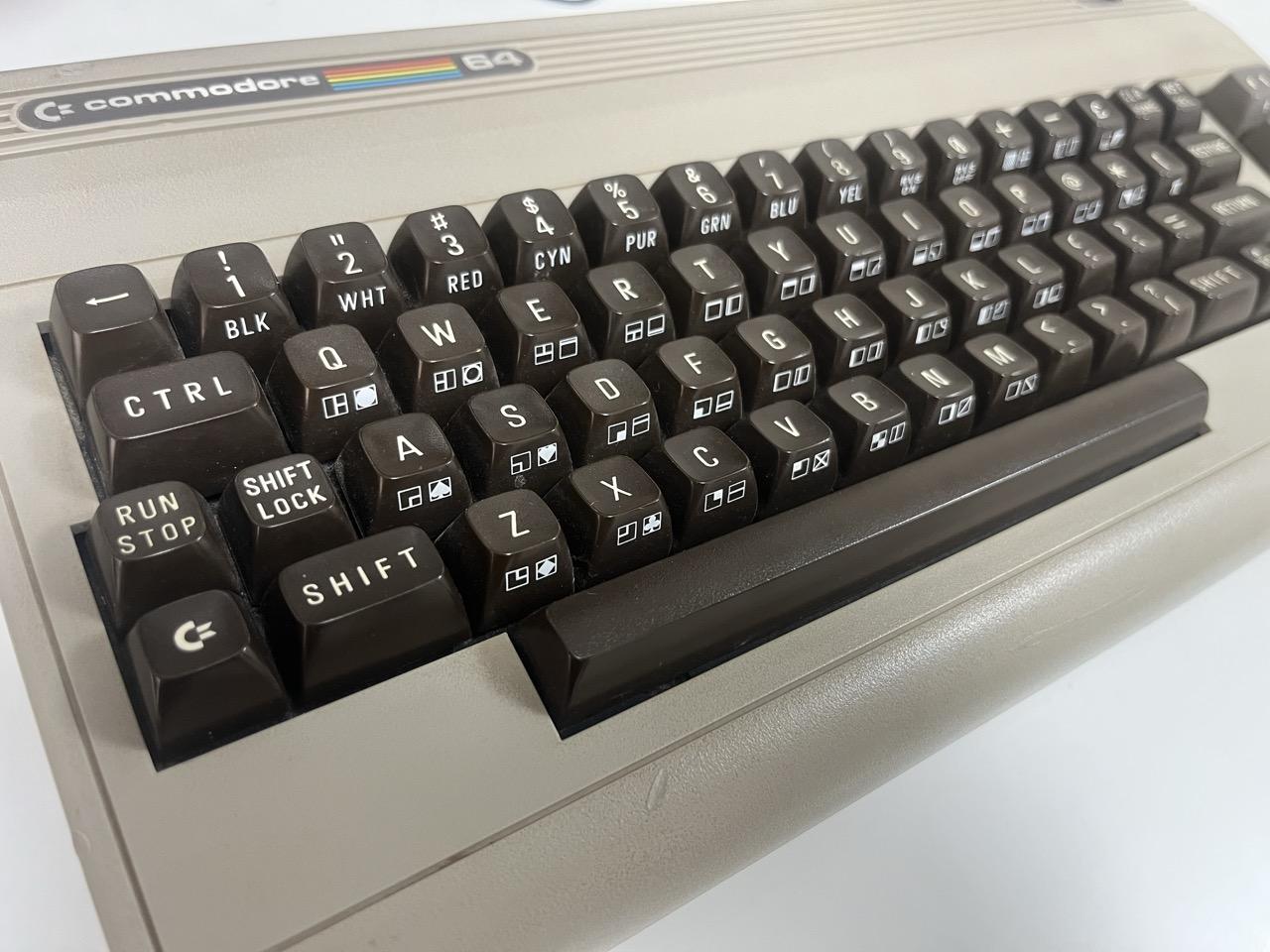
So it’s time to test and fix this lovely breadbin Commodore 64, which is almost as old as I am!
/2026-06-10-restoring-commodore-64-part-1/breadbin.jpeg
Photograph of a breadbin Commodore 64

First symptoms

The machine has an intermittent boot issue. Sometimes it boots normally, sometimes it shows a black screen, and sometimes it produces random characters on the display.
Adventures with an Amiga 500: Part 3 - Moar RAM!

Having a working Amiga 500 that’s able to run most classic games is nice, but having one that’s also able to run some of the newer software is much, much better.

The Amiga 500 comes with 512 KB of RAM soldered on the board, acting as what it’s called Chip RAM. Let’s see how much we can add on top of that.


RAM: The fast, the slow and… the chip?

Being a newcomer to the world of Amiga computers, everything related to RAM was very confusing to me. Long story short, on the Amiga 500 you can roughly have three types of RAM:

Adventures with an Amiga 500: Part 1 - My first retrocomputer

While I’ve never been much of a collector myself, over the last couple years I’ve acquired a taste for retrocomputing content, avidly consuming the videos produced by people like The 8-Bit Guy, Adrian’s Digital Basement and Jan Beta, among others.

I’m amazed by the love they put on testing and restoring all kinds of old computers, and it’s definitely contagious. So, some months ago I decided to go shopping myself.

Enabling containers to access the GPU on macOS

Being able to run AI models locally is one of the coolest tech things 2023 brought to the table. But given the extremely heterogeneous software stack for AI accelerators, doing that in an efficient way on your own laptop is not always as easy as it should be.

For instance, if you’re running macOS on an Apple Silicon machine, you can easily build llama.cpp with its Metal backend and offload the inference work to the M-based GPU. But can you do that from a container?

Using microVMs for Gaming on Fedora Asahi

It’s been almost a year since I transitioned from the Virtualization to the Automotive team at Red Hat with the goal of ensuring RHIVOS ships with a powerful Virtualization stack. While there’s a large overlap between a Virtualization stack for Servers and the one for Automotive platforms, the latter is much more demanding on one particular aspect: GPU acceleration.

For me, personally, that meant having to delve into the Linux graphics stack, both kernel (DRM, GEM, KMS…) and userspace (Mesa, virglrenderer…), something in which, so far, I only had a superficial knowledge. And, when facing a new field, my preferred approach is looking for an interesting project that would both motivate me to play with those software components.